Build a crypto breakout scanner around a watchlist you can review
Define a prior-channel breakout, choose venue-specific pairs, and make scanner matches a manageable review queue.
A useful crypto breakout scanner answers a specific question: has one of the pairs you follow finished a candle above its recent range? Start with a watchlist you can review and a rule you can explain. A longer list adds charts, repeated matches, and data checks; it does not establish that any match deserves a trade.
This walkthrough defines a proposed 20-bar breakout on 15-minute spot candles. Its job is to produce a review queue. The example values below are fictional teaching values, not live scanner triggers or measured trading results.
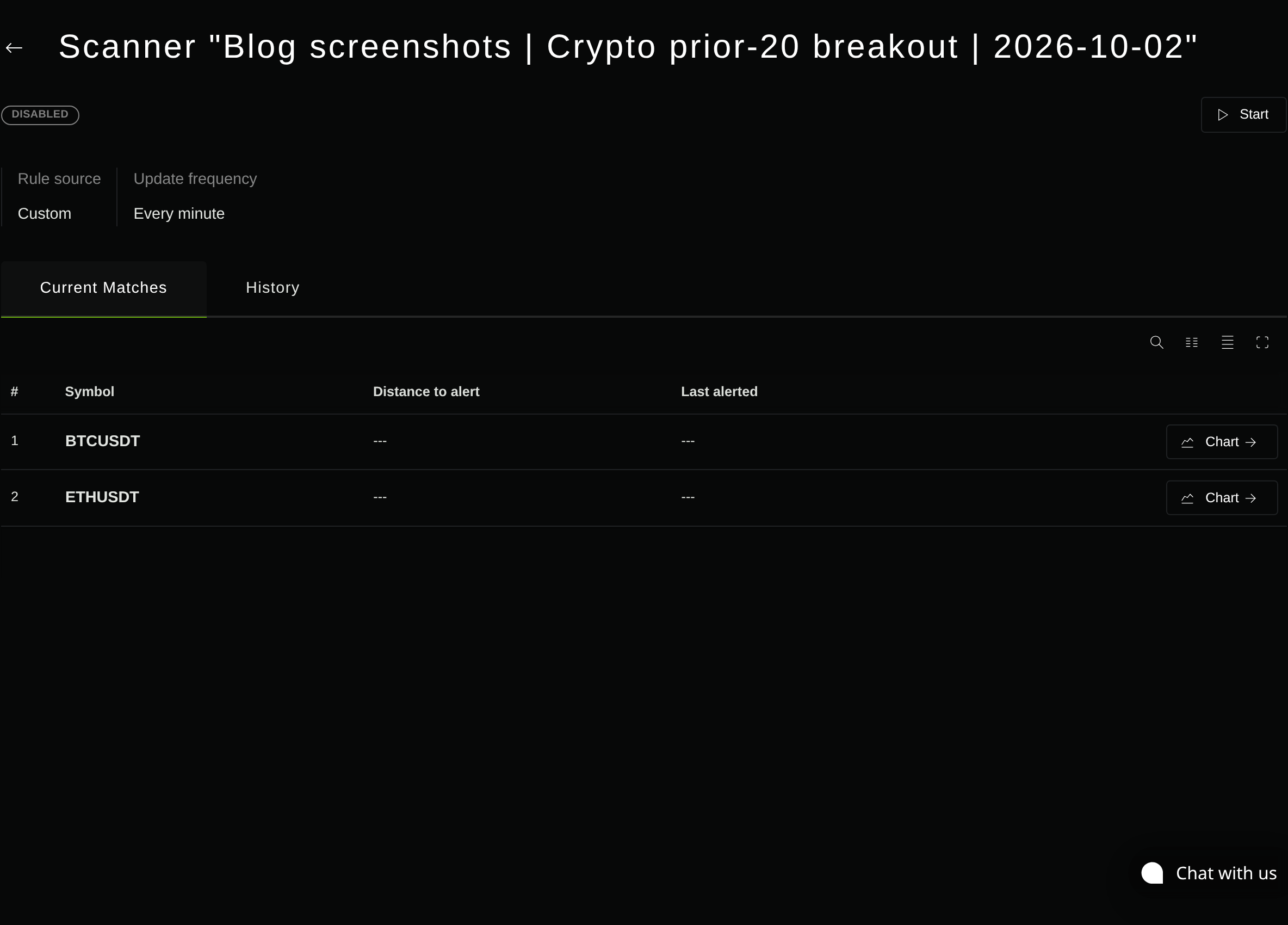
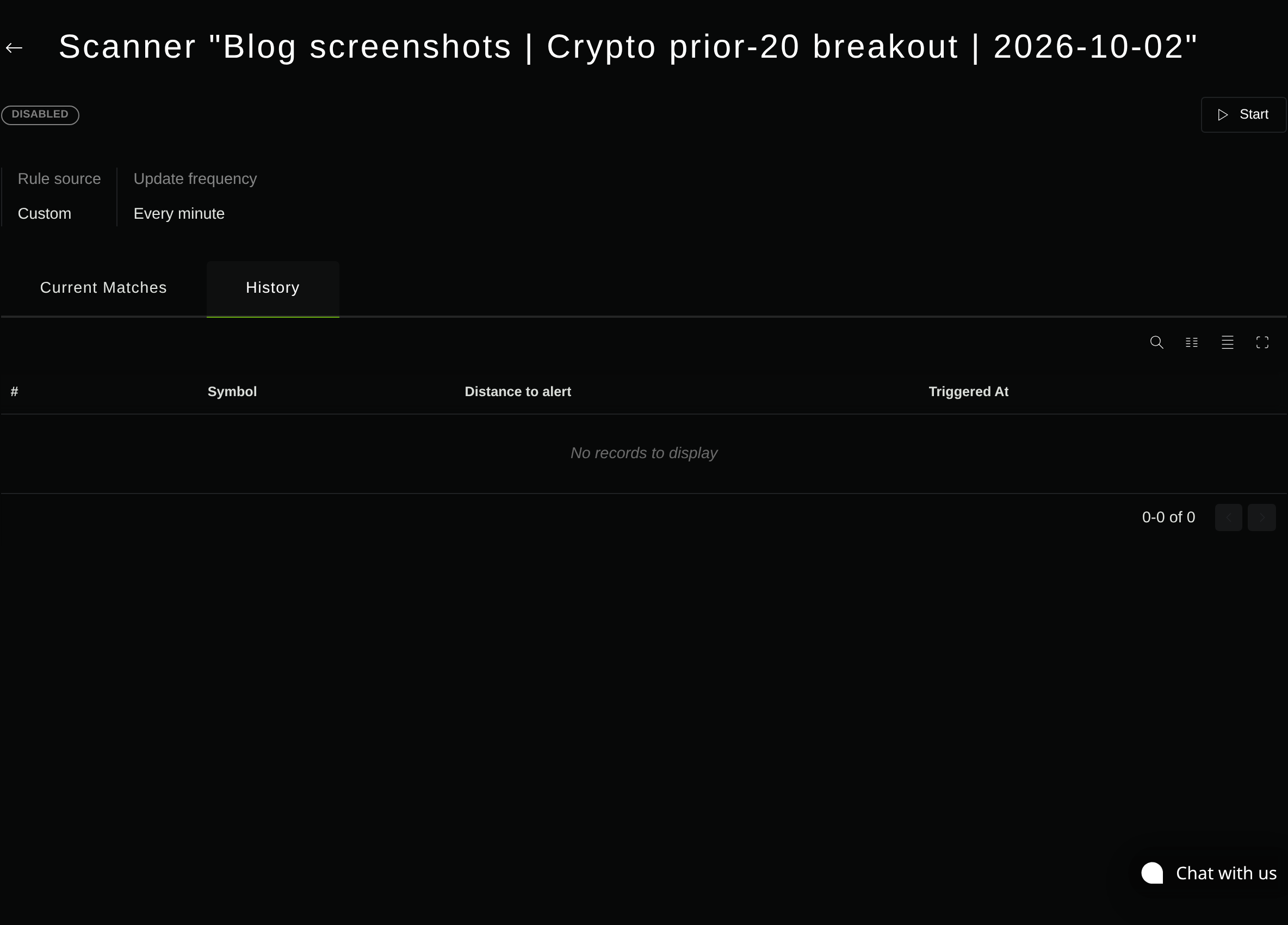
The product screenshots show a saved demo-account scanner for Binance BTCUSDT and ETHUSDT. A bounded observation produced two instrument rows but no recorded triggers; the scanner was stopped afterward. These images show its configuration and observed state, not a verified breakout or delivered notification.
Choose pairs before choosing the rule
Write down the venue, market type, and quote asset for every watchlist entry. Bitcoin quoted in USDT on one exchange is a different market from Bitcoin quoted in USD elsewhere. A spot pair and a perpetual contract also need separate treatment; this example uses spot and makes no funding, leverage, or short-selling assumptions.
For a first watchlist, choose three to five pairs whose charts you already follow. Candidate names such as BTCUSDT, ETHUSDT, and SOLUSDT are examples to verify, not a claim that their current liquidity or availability has been checked. Keep the quote asset and venue consistent so the price and volume context is easier to compare.
Binance’s Spot exchange-information specification provides symbol status, base and quote assets, spot eligibility, and order filters. Use that metadata to establish which market you mean. It does not rank pairs by liquidity; check the current spread and available depth separately before adding a candidate.
In Stratifyre, choose individual instruments for this bounded list rather than a broad basket. Confirm each search result’s source and symbol before saving it. Use only instruments for which the intended 15-minute history and current data are available. Do not silently replace a missing venue with another source.

Define the channel without the breakout candle
A Donchian upper band is the highest high over a chosen lookback. Fidelity’s indicator reference describes the channel using prior periods. For this setup, the important word is prior: the twenty candles defining the threshold end immediately before the completed candle being tested.
The rule specification is:
- Signal interval: 15 minutes, UTC boundaries.
- Threshold: highest high of the 20 completed candles before candle t.
- Match: completed close of candle t is strictly greater than that threshold.
- Equality: no match.
- Action: flag the pair for review.
This is a rule specification, not syntax to paste into the product. Inspect the saved rule and confirm that its history reference excludes the tested candle before activating it. Do not assume an indicator called “Donchian” automatically has the required offset.

close[1] with the 20-bar Donchian upper[2], keeping the tested candle out of the reference channel. Additional AND conditions require the expected timestamp span, completed-candle age, and freshness; no trigger was recorded to reconcile these inputs.If the upper band includes the candle being tested, a strict close-above-band comparison cannot work as intended: that candle’s high is at least its close, and the band is at least that high. Moving the threshold forward with the breakout candle changes the question.
Require all twenty prior completed candles plus the tested completed candle before making a decision. Check that the candles are consecutive and belong to the same venue and interval. Twenty observations with a missing interval do not represent the same elapsed window.

Separate candle duration from scan frequency
“15-minute candles” describes the prices used by the rule. “Check every minute” describes how often the scanner asks the question. Faster checking does not turn an unfinished 15-minute close into a completed one.
Binance’s kline-stream specification distinguishes candle updates from closure with the x field. That exchange behavior explains why a candle can show a breakout during formation and finish below the threshold. It does not establish how a particular scanner handles the feed.
Before relying on this setup, confirm how the saved rule selects completed candles and how the chosen evaluation frequency relates to their close times. Inspect the data timestamp alongside the evaluation timestamp. A check at 12:16 UTC should refer to the completed 12:00–12:15 candle under this specification, not an unfinished 12:15–12:30 candle.
If you cannot establish that distinction, label the setup as an intrabar monitor and use a separate completed-candle check before treating a match as this breakout. Avoid presenting a polling interval as a promise of exact close-time evaluation or immediate delivery.

Make matches manageable before enabling notifications
An alert says the condition matched; it provides no order size, stop, exit, or execution price. Keep review and execution separate. A decision to trade needs its own rules and cost assumptions, including the spread and the price available after you receive the signal.
Define your repeat policy before connecting any outbound destination. A useful review policy is one journal entry per instrument, interval, and completed candle close. The same candle observed in several evaluations remains one setup in that journal.
This journal policy is not a claim that the scanner implements that exact duplicate key. A condition can remain true across evaluations, and a time-based cooldown can permit another notification while the same setup persists. Check the actual rule limits and routing behavior before relying on them; configure a cooldown only if the relevant control is available and its scope is clear.
Start by inspecting matches without outbound delivery. Then verify the intended destination and repeated-condition behavior before enabling notifications. Do not assume a quiet inbox means there were no matches: data availability, evaluation, trigger recording, and delivery are separate checkpoints.
Review why a candidate appeared
The following cases use a fictional prior-channel high of 100. They are arithmetic examples, not captured scanner activity.
| Tested candle or data state | Decision under this rule | Reason |
|---|---|---|
| High 102, completed close 99 | No breakout | The wick crossed; the close did not. |
| Completed close 100 | No breakout | Equality fails the strict comparison. |
| High 102, completed close 101 | Breakout candidate | The completed close exceeds the prior high. |
| Missing candle in the prior window | Withhold this decision | The required consecutive window is incomplete. |
A valid candidate can still fail after its close. Review the subsequent candles and record whether price held above the level, returned inside the range, or became difficult to trade at your intended size. Do not add a volume filter solely to remove a disappointing example; that is a new rule requiring a separate evaluation.
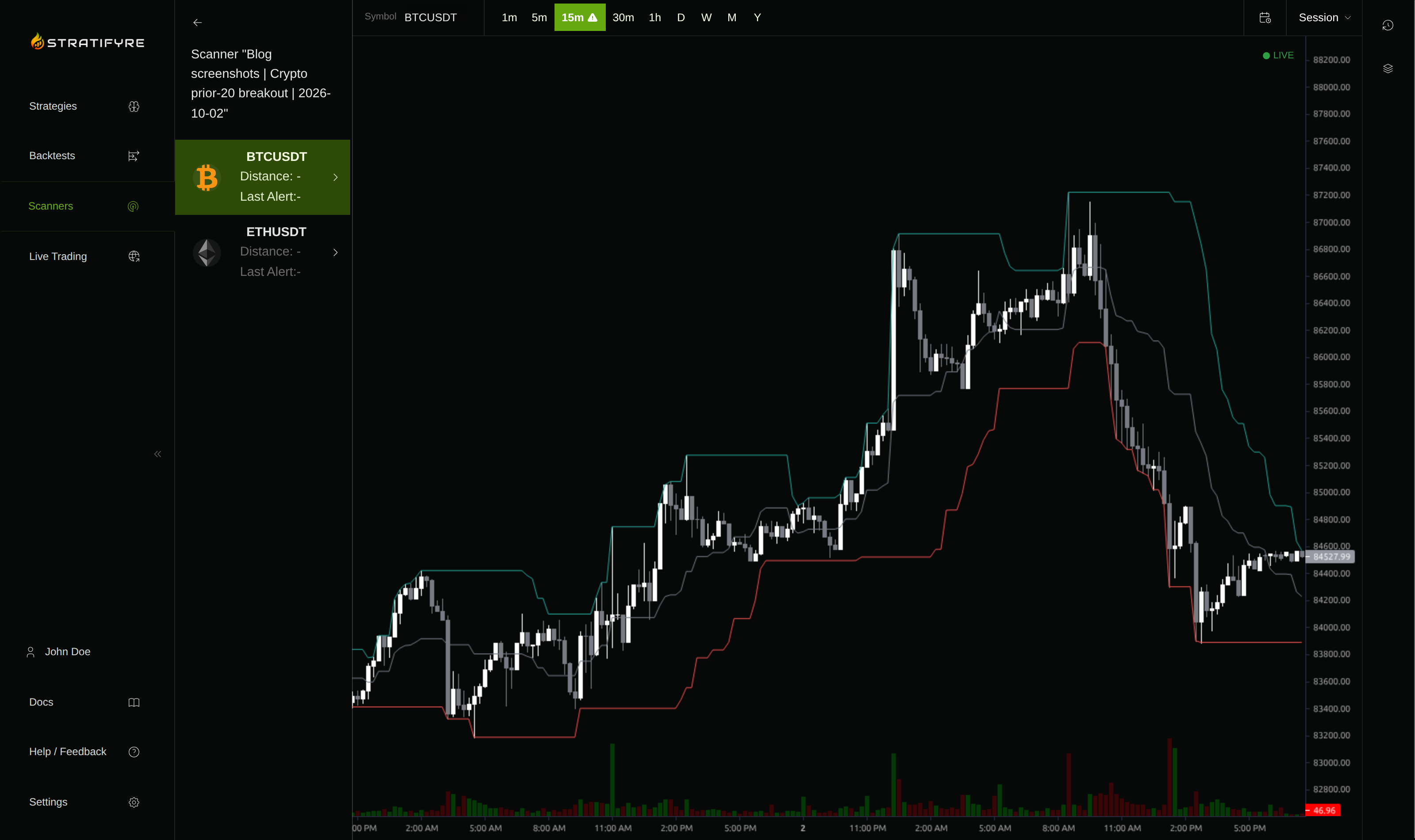
Keep a small journal with the pair, candle close time, prior high, completed close, data freshness, and your review outcome. Record missing data and repeated notices as well as attractive charts. This makes it possible to distinguish an unhelpful breakout rule from an unreliable monitoring process.
Start with a bounded scanner
Freeze the watchlist and rule while you evaluate their usefulness. Expand the list only when you can review the additional candidates and verify their data. A scanner earns a place in your workflow by producing understandable, timely evidence for a decision; the number of instruments it covers is secondary.
Use the scanner creation guide to configure your small watchlist, then verify the saved rule’s prior-bar reference, completion handling, and repeated-condition behavior before depending on its alerts.
Put your strategy rules to the test
Build your strategy, inspect historical trades, and review the assumptions behind your results.
Build and test your strategy