Check a rule while your backtest is still running
Read a rule's condition and trigger limit at a saved time, then return to that point while a running backtest records more history.
TRUE does not always mean another entry
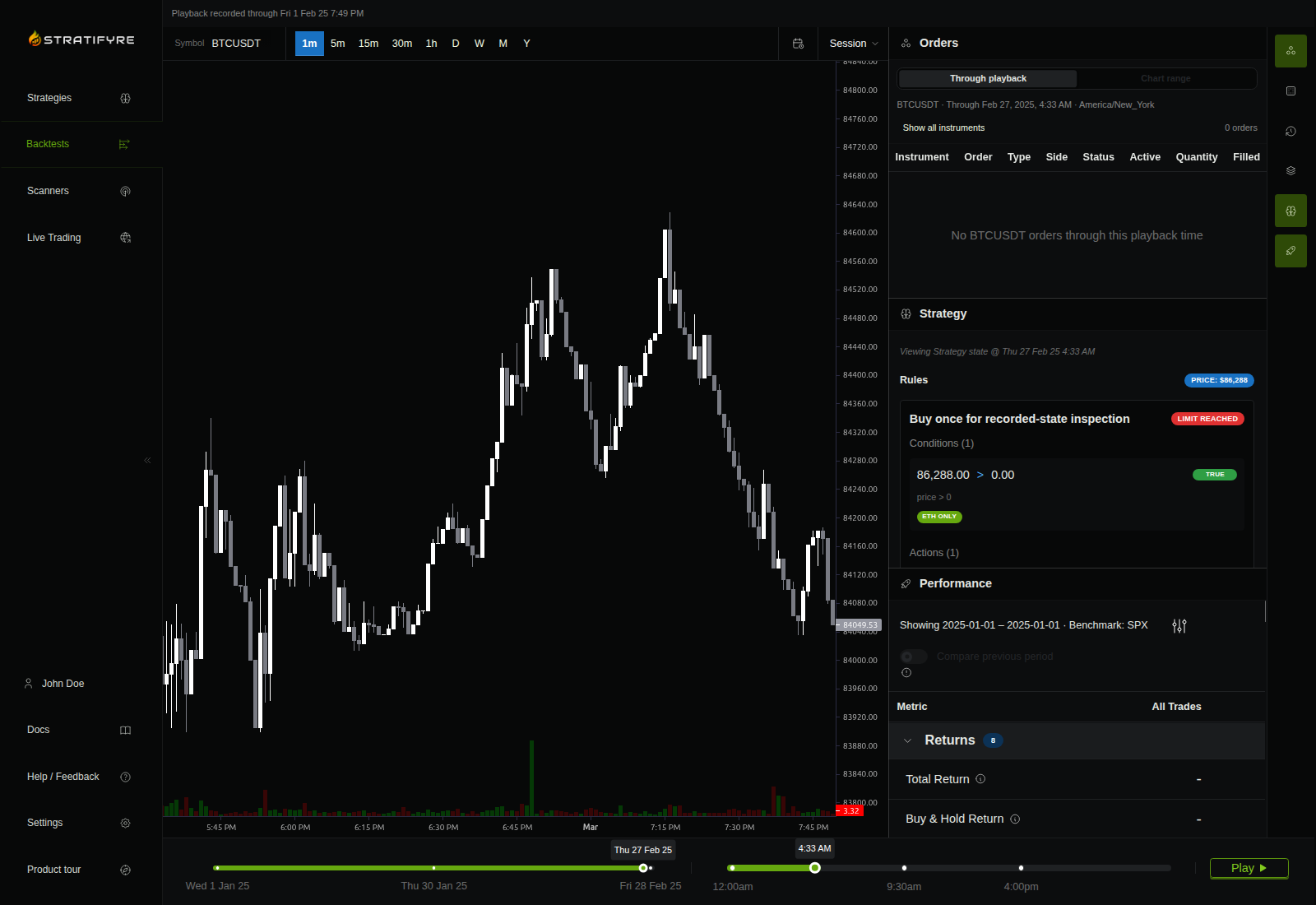
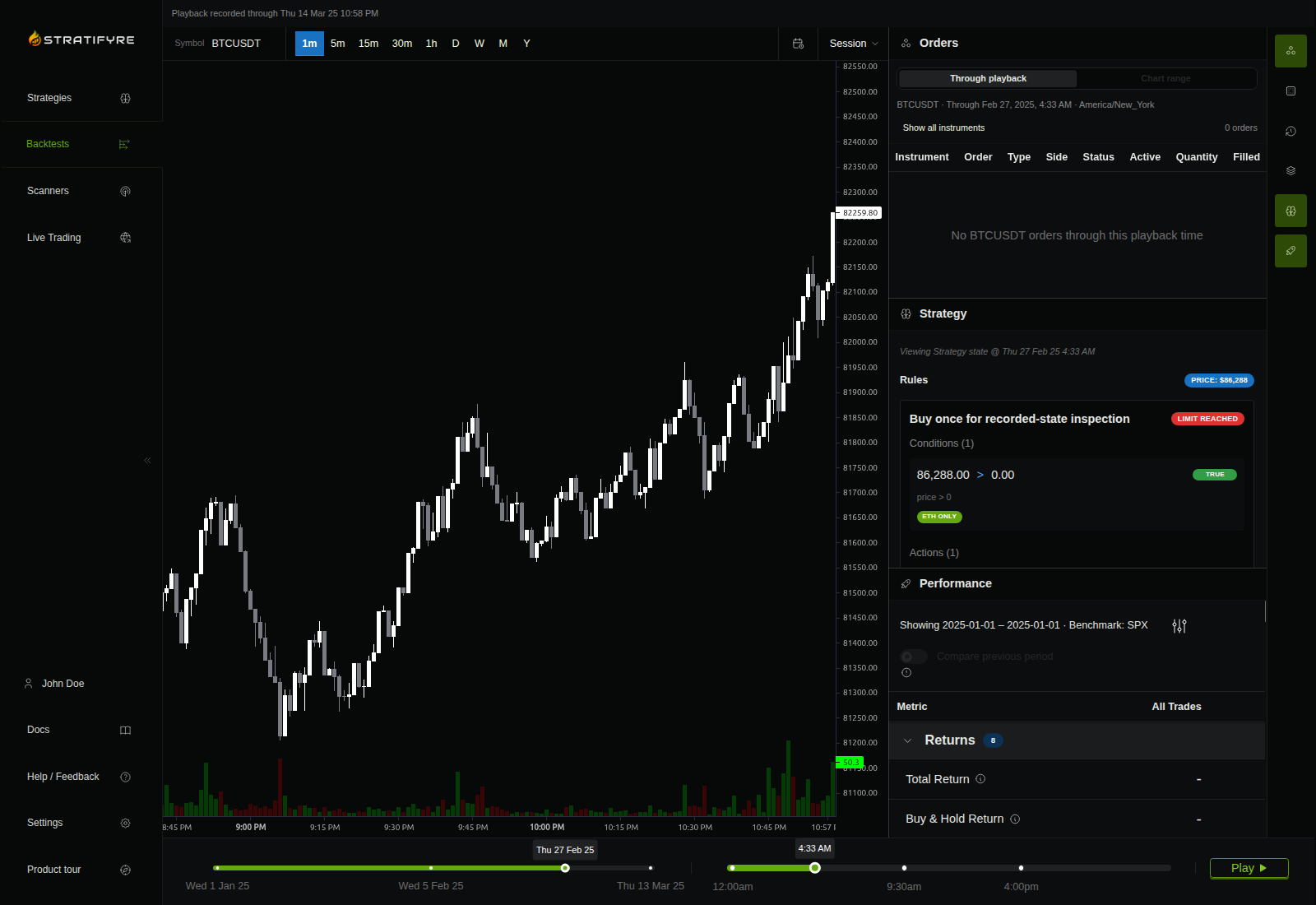
A condition can be true without making a rule eligible to act again. In our BTCUSDT example, price > 0 showed TRUE, but the once-only entry showed Limit reached. Its trigger allowance had already been used. Changing the price condition would not explain that limit.
You can inspect those labels while a recorded backtest is still running. This walkthrough checks one selected rule time, its condition, and its trigger status, then returns to that point after visiting a later one.
Both demo attempts eventually failed. The second still provided usable saved rule state while it ran, but neither produced a completed performance report. Its Orders view also disagreed with retained execution evidence. The lesson here is how to read the rule state; the order discrepancy remains unresolved.
Read these two labels together
TRUE: the displayed price satisfied price > 0 at the selected rule time.
Limit reached: this once-only rule had no remaining trigger allowance.
What to check: if you intended repeated entries, compare that intention with the rule's saved trigger setting before changing the condition.
Open a run with saved playback details
For a fresh ordinary run, go to Backtests → Run Backtest and choose your saved strategy. The current form enables detailed recording automatically; there is no separate recording switch to turn on. Every fresh run, including a rerun, is recorded; only runs started before recording became automatic can lack it. Our demonstrated run had detailed recording.
If the Strategy panel says No saved playback details, that run lacks the data needed for this check. Start a fresh ordinary backtest rather than expecting a different timeline position to create missing history. If it says Playback is being recorded, wait for saved history to arrive.
Our demonstration used deliberately simple rules so the trigger limit was easy to inspect:
| Setting | Saved demonstration configuration |
|---|---|
| Instrument | Binance BTCUSDT spot, CRYPTO:BINANCE:BTCUSDT |
| Rule | price > 0; trigger once; buy 0.01 BTC at market, immediate-or-cancel |
| Window and step | January 1–December 31, 2025; one minute |
| Starting account | USD 10,000; no short selling or tax simulation |
| Execution assumptions | On close; pessimistic OHLC fills; 0.1% fee and 0.1% slippage; volume limits enabled |
Those costs were simulation inputs, not an exchange fee quote. The run requested end-of-run flattening, but its failure prevented us from verifying that outcome. No indicators or zones required a warmup period. The trivial entry rule is an inspection example, not a proposed trading strategy.
Inspect the timestamp, condition, and limit in that order
- Open the running backtest, choose Go to chart, and open its Strategy panel using the brain icon on the right.
- Read Playback recorded through above the chart. Choose a point within that saved history using the date and time sliders at the bottom. If your selection has no details yet, try another saved point; the newest history may still be arriving.
- Read Viewing Strategy state @ inside the Strategy panel. This is the timestamp for the values you are about to interpret.
- Read the condition result and the trigger status together. In this example, the displayed condition was TRUE and the once-only trigger was Limit reached.
That combination answers a useful, narrow question: a satisfied condition did not make this rule eligible for another trigger. It does not identify the earlier fill time or prove that an order was filled. We did not capture a before-trigger state in this sequence.
Visit a later day, then return
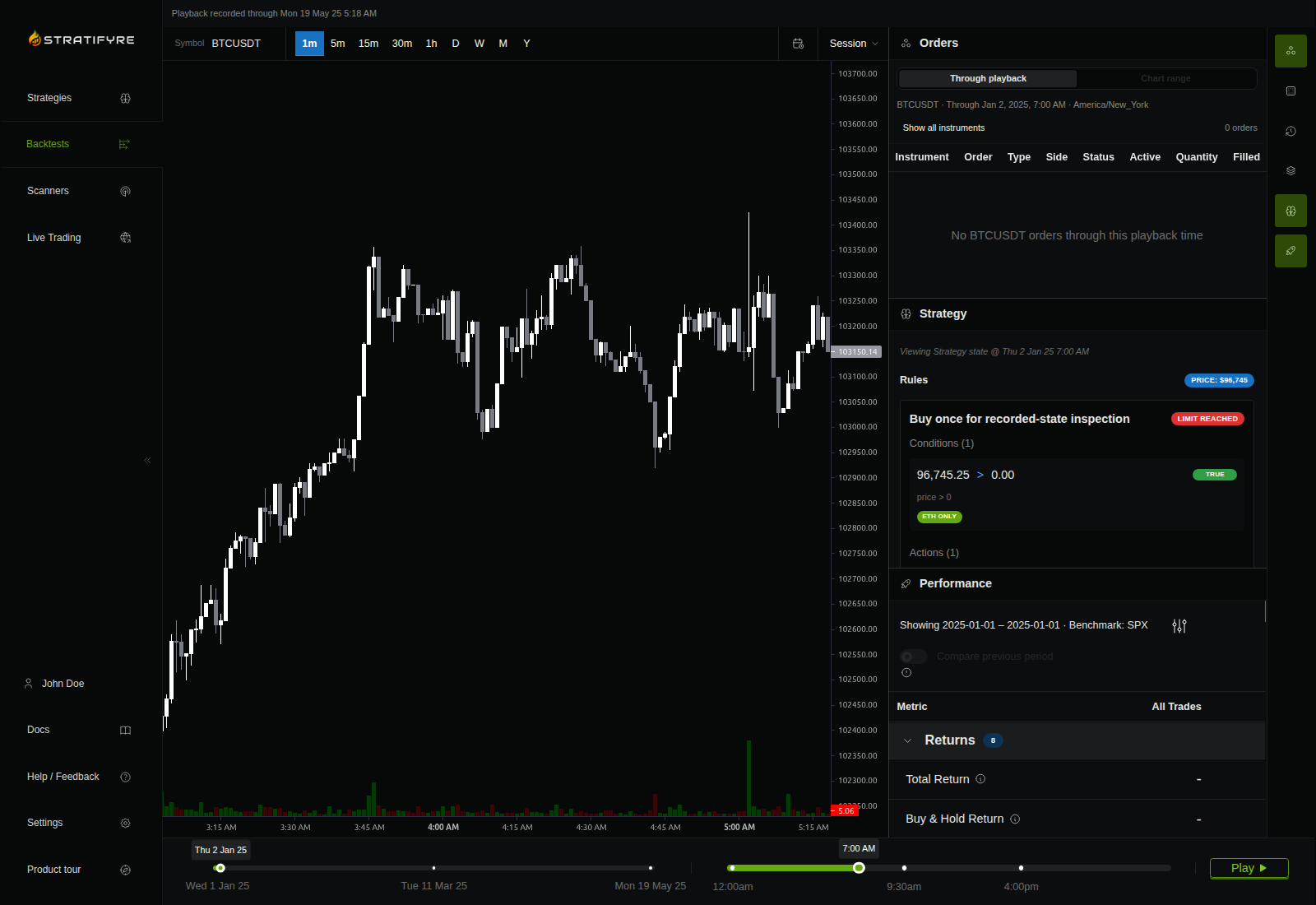
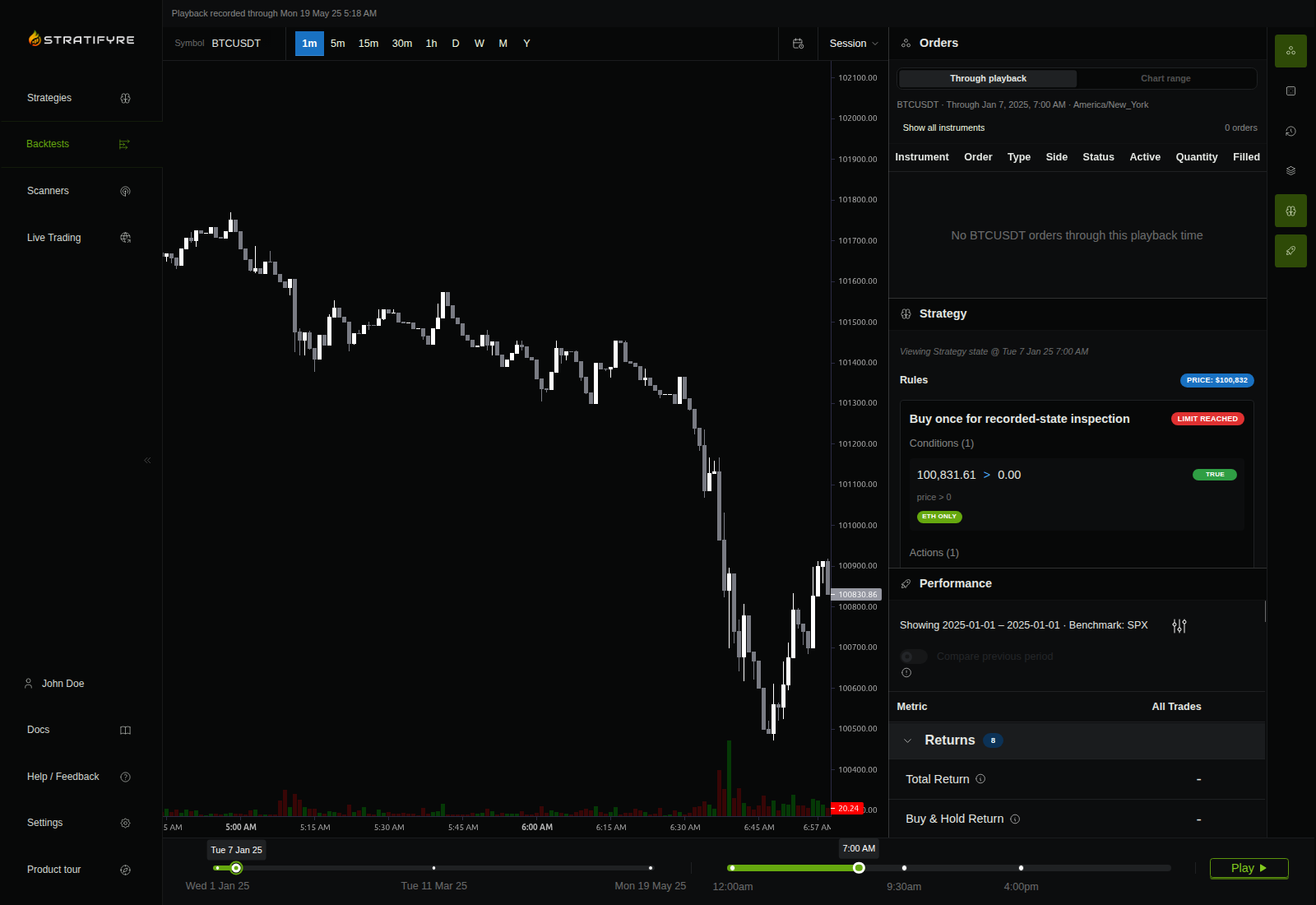
We selected January 2 at 7:00 AM, moved the day slider forward five days, and moved it back five days. The job was still active and its recording incomplete during all three observations.
| Selected time, America/New_York | Price badge | Condition | Trigger status |
|---|---|---|---|
| January 2, 2025, 7:00 AM | $96,745 | TRUE | Limit reached |
| January 7, 2025, 7:00 AM | $100,832 | TRUE | Limit reached |
| January 2, 2025, 7:00 AM, on return | $96,745 | TRUE | Limit reached |
The price badges are rounded rule-panel values, not fill prices or profits. Returning restored the earlier value instead of leaving January 7’s value in place. The trigger allowance remained exhausted at both selected times.
More history can arrive while you inspect an earlier rule
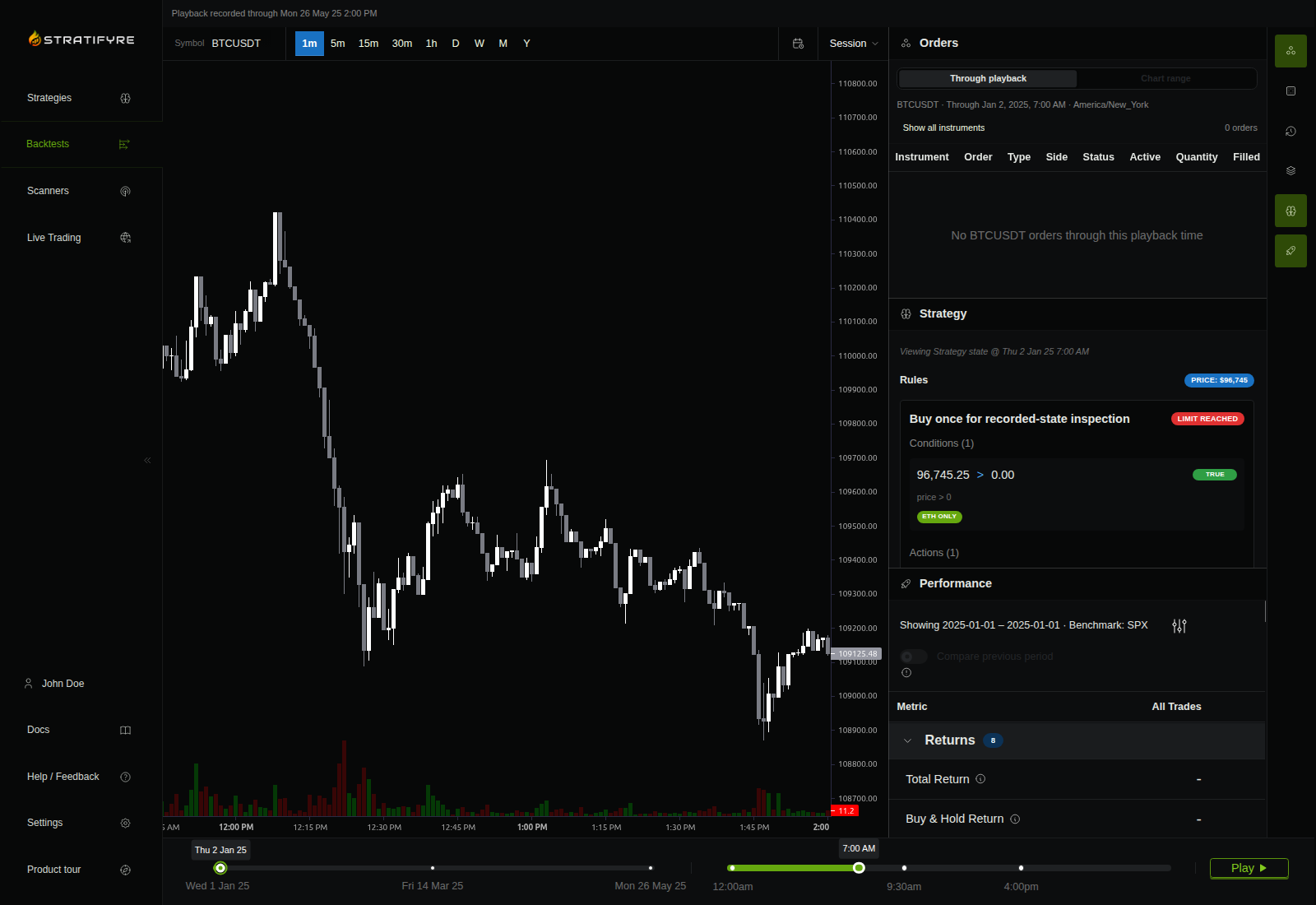
The first and returned January 2 captures above also show two different recorded-through boundaries:
| Read this label | First January 2 selection | Returned January 2 selection |
|---|---|---|
| Playback recorded through | May 19, 2025, 5:18 AM | May 26, 2025, 2:00 PM |
| Viewing Strategy state @ | January 2, 2025, 7:00 AM | January 2, 2025, 7:00 AM |
All times in this comparison use America/New_York. More saved history had become available, yet we could return to the same earlier rule state. In a separate fifteen-second observation on the same mounted page, the recorded-through message also advanced without reloading (before capture, after capture).
Keep three readings separate: recorded through says how far saved playback extends; Viewing Strategy state @ says which rule time you selected; the candle range says which market window is visible. In these captures the candles followed advancing history rather than staying at the selected rule time. Use the Strategy panel’s own timestamp for this exercise, not the chart’s rightmost candle.
Keep the unresolved outcome with your inspection note
The earlier attempt used one-second steps over October 1–2, 2026; the demonstrated attempt used one-minute steps over 2025 and failed after roughly six minutes. Both reported only Backtest failed, without an exposed cause. Changing both dates and resolution prevents a controlled comparison of the attempts.
The second run’s earlier saved financial state remained readable after the failure, but its recording stayed incomplete. The Orders panel and trade-list response were empty even though retained events recorded a buy fill and financial snapshots showed a position and entry fees. We have no demonstrated reconciliation for that disagreement, and no final return, final trade count, or verified flattening result. This exercise covers an ordinary backtest, not every walk-forward or Monte Carlo view.
On your next recorded run, save one inspection note: selected timestamp and time zone; rule name; condition result; trigger status; price shown. Visit one later saved point, return, and compare those fields once. Keep any Orders disagreement beside the note instead of treating an empty panel as proof that nothing traded. For a successfully completed run, the first-backtest guide covers the separate task of reading the final report.
Turn the approach into testable rules
Build a strategy in Stratifyre, run a historical backtest, and review the trades one by one.
$50 in free credits
For eligible new accounts. Terms apply.