Turn a plain-English trading idea into backtest rules
Replace vague trading instructions with precise entries, exits, sizing, and timing, then audit the generated rules and one historical trade.
“Buy the dip when the trend is strong, then sell when momentum recovers” sounds like a trading strategy. Two people could read it and place completely different trades.
One might buy as soon as RSI falls below 30. Another might wait for RSI to recover above 30. One might use a daily trend filter; another, a five-minute chart. A backtest needs one answer to each question.
You can describe those answers without writing code. The useful workflow is to make your idea specific, convert it into conditions and actions, inspect the translation, and check whether a historical trade followed your instructions. Generating rules is a translation step; it does not establish that the strategy makes money.
Replace the vague words first
Start with the decisions hidden inside your sentence. “Dip” needs a measurable condition. “Strong trend” needs an indicator, price source, and interval. “Momentum recovers” needs an exit threshold. “Buy” needs an order type and quantity.
CME’s trade-plan guidance emphasizes writing explicit entry and exit conditions and identifying trades you will and will not take. That is a useful standard for an AI prompt too: someone should be able to decide whether a bar qualifies without asking what you meant.
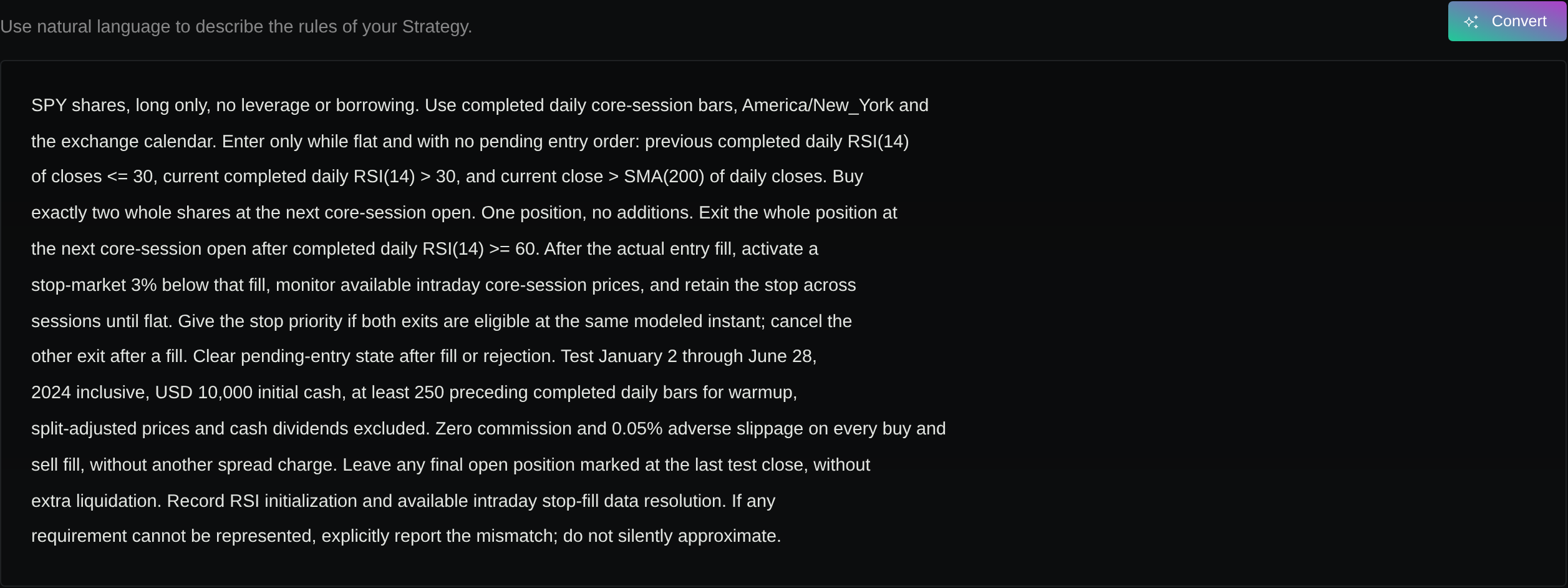
Here is the written specification used to audit the conversion below. Its deliberately simple sizing makes the rule audit easier; the later execution check has explicit limitations and does not validate every requirement.
- “Trade the market” → instrument: SPY shares; long only; no leverage.
- “Use the daily chart” → data and session: completed daily core-session bars;
America/New_York; follow the exchange calendar. - “Trend is strong” → trend filter: signal-bar close is strictly above its 200-period simple moving average of daily closes.
- “Buy the dip” → entry: previous completed RSI(14) is at or below 30, and current completed RSI(14) is above 30; both use daily closes.
- “Buy when it happens” → position limit: enter only when flat and no entry order is pending; one position; no additions.
- “Use a small size” → quantity: two whole shares; $10,000 initial cash; no borrowing.
- “Momentum recovers” → signal exit: when a completed daily RSI(14) is at or above 60, request an exit of the whole position.
- “Limit the loss” → protective exit: a stop-market order 3% below the actual entry fill; activate after entry, monitor available intraday core-session prices, and retain it across sessions until the position closes; cancel remaining exit orders when flat.
- “Buy on the signal” → order timing: submit entry and indicator-exit market orders for the next core-session open; never fill them at the already-known signal close.
NYSE Arca’s normal core session runs from 9:30 a.m. to 4 p.m. Eastern, with calendar exceptions; a fixed UTC offset would not describe that session correctly throughout the year. Use the exchange’s hours and calendar, including holidays and shortened days.
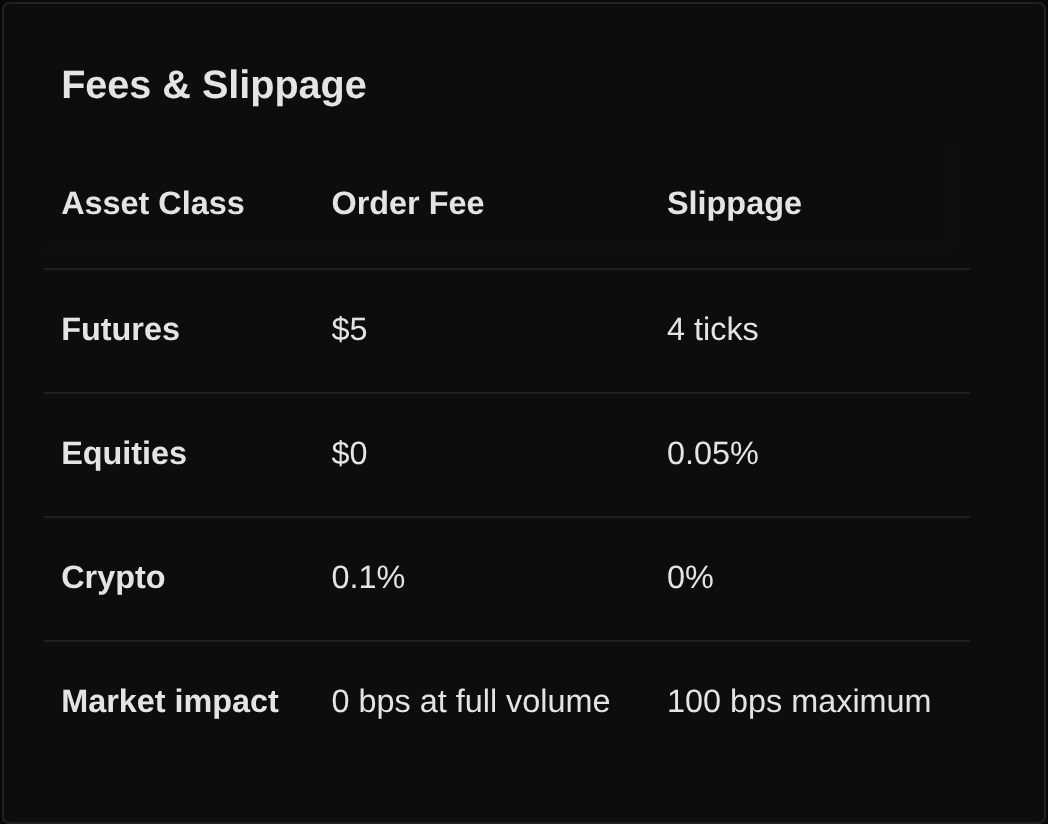
Complete the test request separately: January 2 through June 28, 2024, inclusive; at least 250 preceding completed daily bars for indicator warmup; split-adjusted prices; cash dividends excluded. Record the RSI calculation and initialization convention used. For this teaching scenario, request zero commission and five basis points of adverse slippage on each fill, without an additional spread charge. Those costs are an assumption, not a quoted broker fee or measured execution estimate. Five basis points means 0.05% of the reference fill price.
The stop level is a trigger, not a promise that a sale occurs exactly 3% below entry; the SEC’s stop-order guidance explains this distinction. This specification monitors the stop during core sessions, rather than waiting for the daily close; record the available intraday fill-data resolution. Specify protective-stop priority if both exits are eligible at the same modeled instant, and cancel the other exit after a fill. Leave any final open position marked at the last test close rather than assuming an extra liquidation. If the selected workflow cannot represent a requirement, resolve that mismatch before treating the test as an implementation of this plan.
Separate a condition from an event
“RSI is above 30” describes a state. “RSI crosses above 30” describes a transition. Replacing one with the other changes the trades.
For this example, define the transition yourself: previous completed RSI is less than or equal to 30, current completed RSI is greater than 30. The equality rule matters. So does the interval of the previous value: it must be the previous daily observation, not the previous update inside the same day.
The following values are invented solely to illustrate the checklist; they are not market data or backtest output.
Assume the trend and position guards pass for these four cases:
| RSI: previous → current | Entry signal? |
|---|---|
| 29 → 31 | Yes |
| 31 → 33 | No |
| 30 → 31 | Yes |
| 29 → 30 | No |
The second case is already above the threshold. The third includes equality on the previous side; the fourth fails because the current value must exceed 30. Two more no-trade cases matter: even a 29 → 31 transition must not trigger an entry when the trend filter fails or when a position or pending entry already exists.
Apply the same care to exits. “Sell when RSI reaches 60” can mean touching 60 during an unfinished bar or closing at or above 60. The example chooses the completed-bar interpretation. Preserve it during conversion.
Keep signal time and fill time separate
A daily close can determine whether a signal exists only once that close is available. An instruction using the final close does not, by itself, justify receiving that same price as a fill.
TradingView’s execution-model documentation distinguishes confirmed historical bars from changing realtime bars. Its strategy documentation also describes a default delay from order creation to the next available tick. These are examples of another platform’s rules, not a description of Stratifyre’s execution model.
For your test, write down when the indicator becomes known, when the order is submitted, and which prices the fill model may use. Check those settings and the trade record together. A chart marker on the signal date is insufficient evidence of correct execution timing.
The same distinction applies to the stop. Its price reference is the actual entry fill in this specification. A level calculated from the signal close or submission price would implement a different instruction.
Inspect the generated rules against your specification
Stratifyre’s AI Strategy Builder documentation describes natural-language conversion into editable strategy rules. Use the output as something to audit, especially when a short description becomes several conditions or helper rules.
Read the generated entry, exit, and state-management rules against the written specification above:
- Indicators: RSI period 14, SMA period 200, close price source, daily interval, and the intended history reference.
- Logic: the trend filter and RSI transition must both pass; inspect equality and crossing behavior rather than trusting a familiar operator name.
- Position state: existing positions and pending orders must prevent another entry. Check that state clears after an exit or rejected order.
- Actions: two shares means quantity, not 2% account risk. Verify direction, order type, exit quantity, and stop reference.
- Timing: completed-bar signals and next-session execution must agree with the selected backtest settings.
If a detail is missing, edit the rule or refine the description, then inspect the new version. Keep the written specification beside it. A valid rule structure can still encode a trading idea you did not intend.
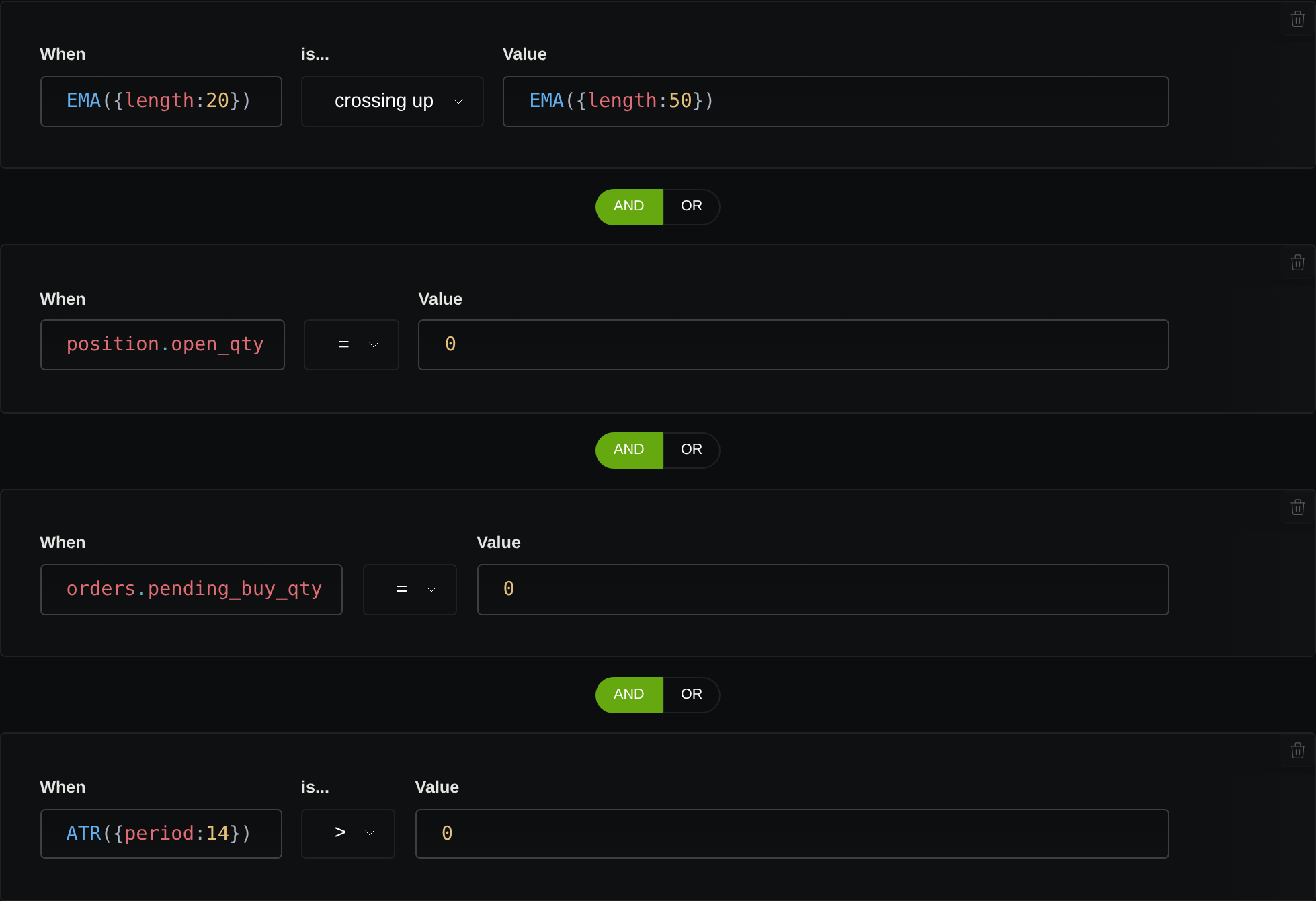
The actual conversion of this specification demonstrates why that review matters. Its completed output contained three protective-stop and helper rules, but its own notes said the RSI entry and RSI exit were omitted. A completed conversion was therefore not a completed implementation of the trading plan.
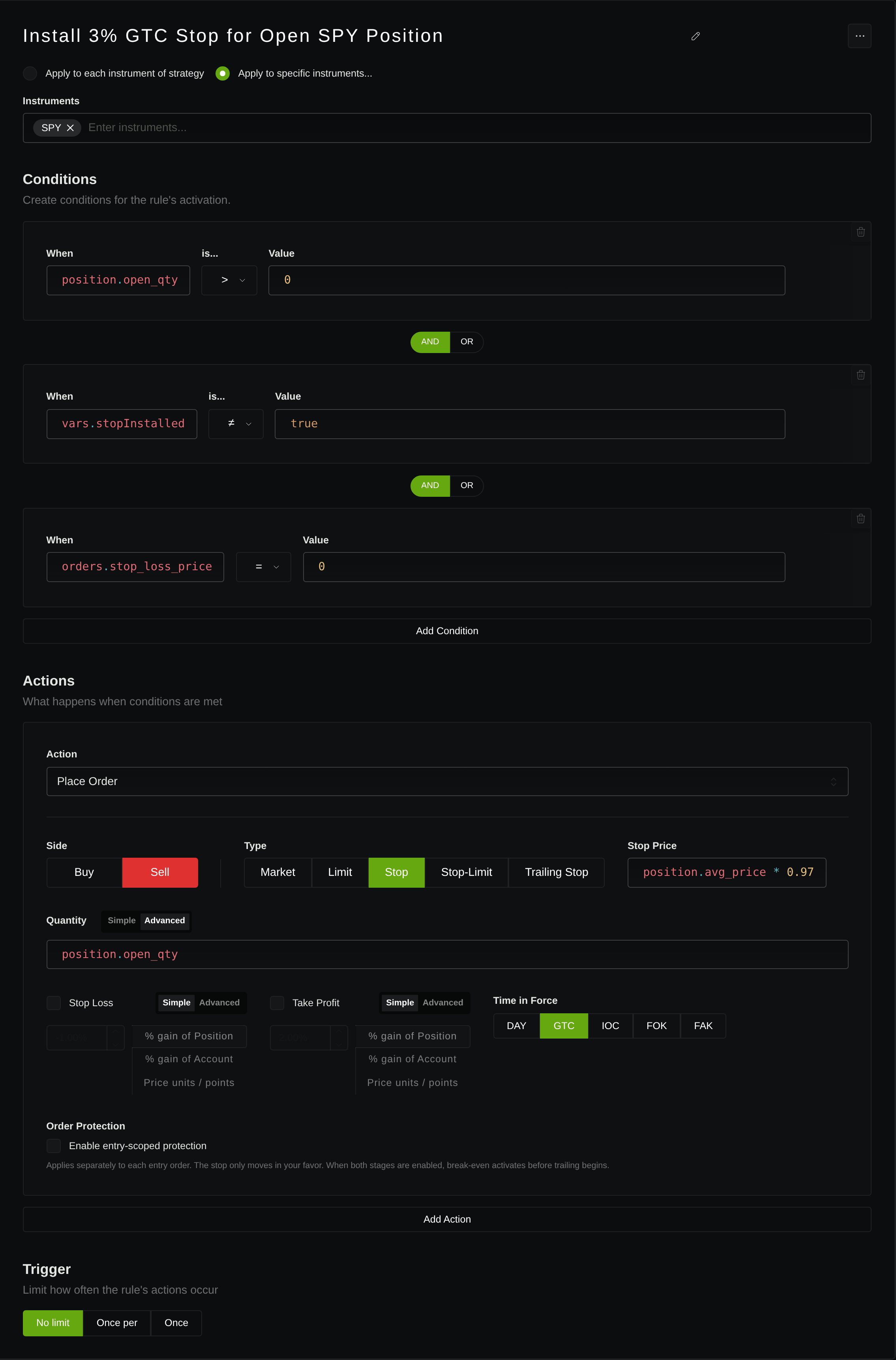
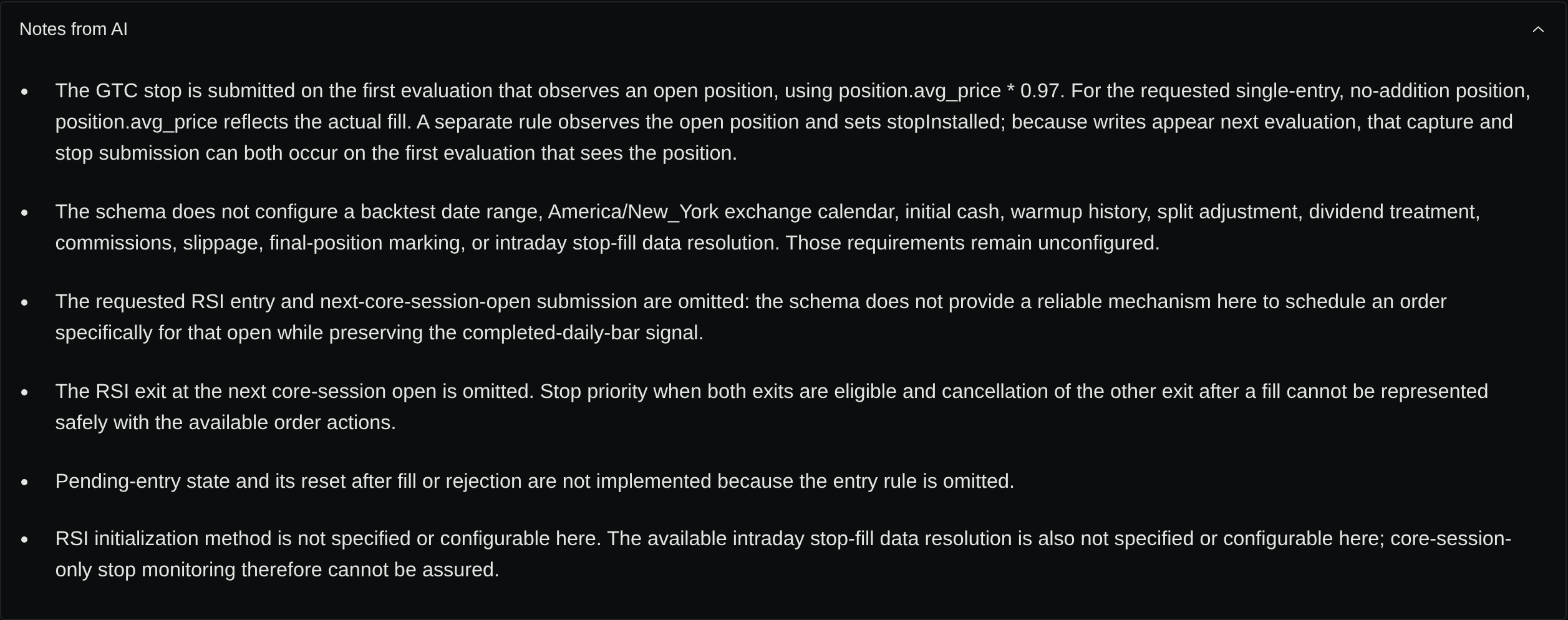
A separate saved version added the missing RSI entry and exit explicitly, with the SMA filter, flat-position and pending-buy guards, two-share sizing, and an entry-owned stop anchored to the actual first fill. The screenshots below show that edited version; they are not the unmodified AI output.
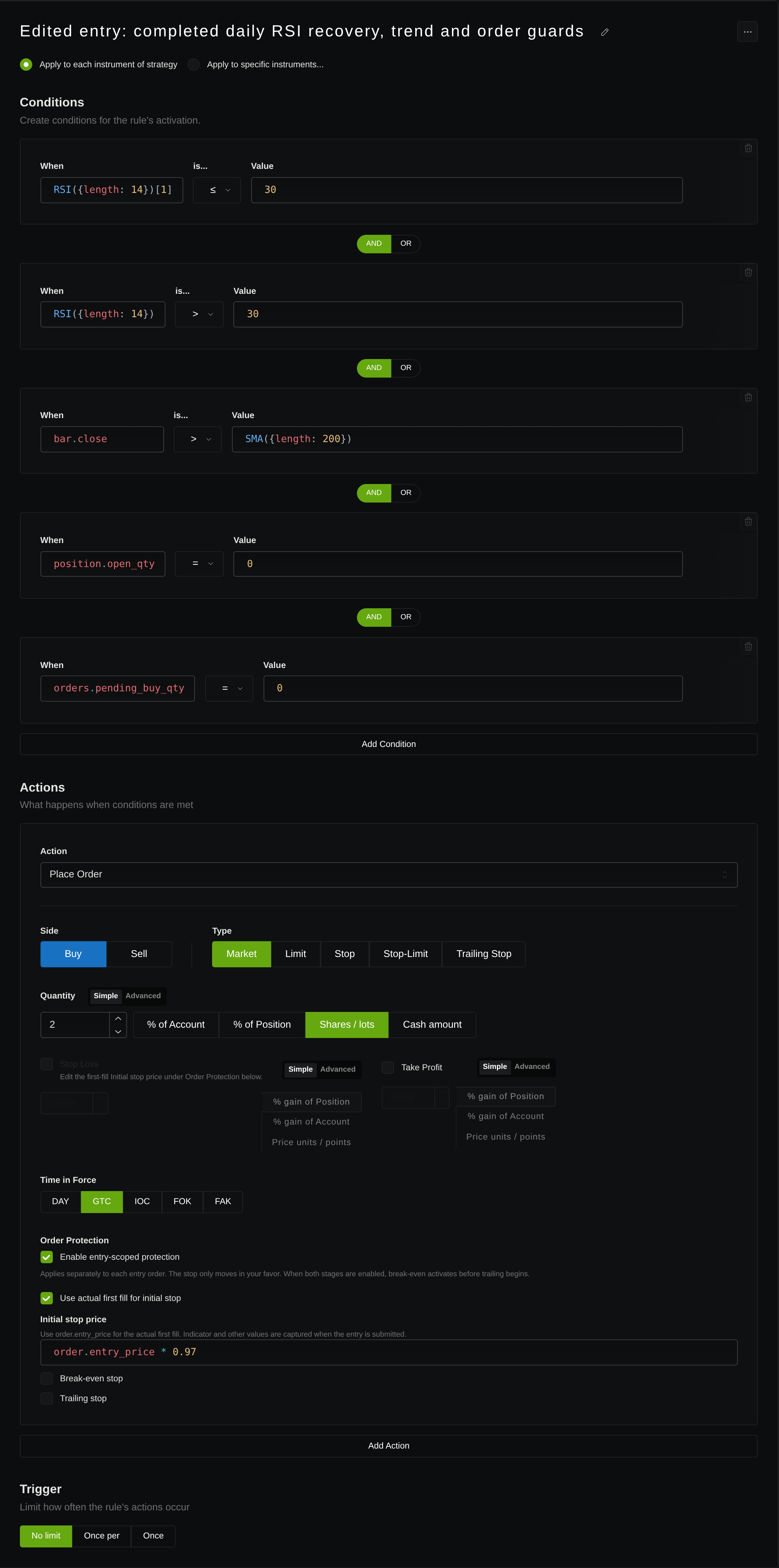
order.entry_price * 0.97. Open the full-size image to inspect the actions and protection fields.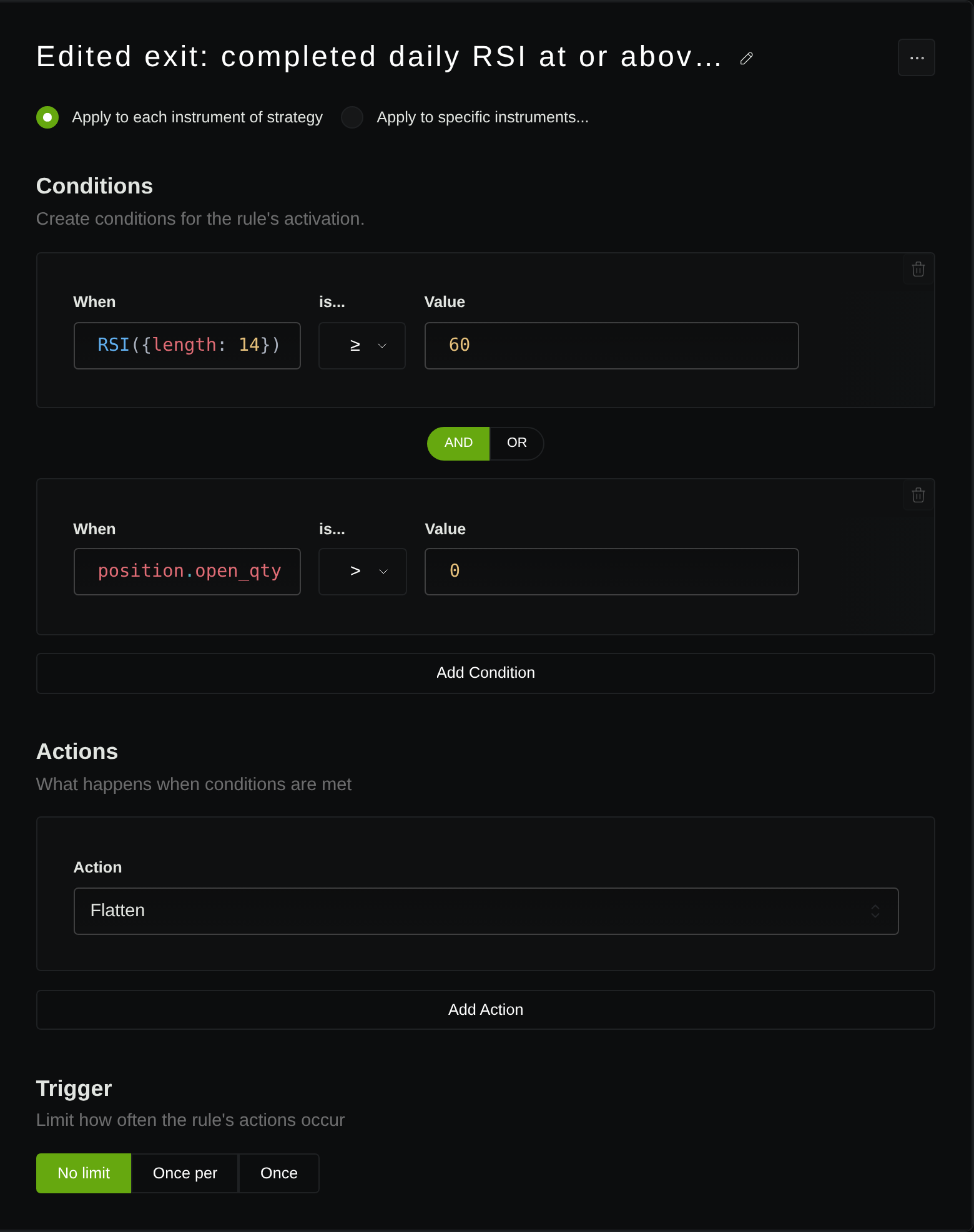
Reuse the checklist across BTC, SPY, and ES
The checklist travels across markets; the instrument assumptions do not.
- BTC: name the venue and quote currency; choose spot or a derivative; define daily boundaries and quantity units; include applicable costs such as funding if using a perpetual.
- SPY: choose core or extended sessions; define holiday handling, price adjustments, dividend treatment, and whole or fractional shares.
- ES: identify the futures contract and expiry; define the session, contract quantity, tick rounding, and any continuous-series roll treatment.
For ES, consult the CME contract specifications rather than carrying share-based sizing into a futures test. Verify that the selected data and execution workflow support your exact instrument. A ticker alone is not a complete specification.
Check one trade before interpreting the report
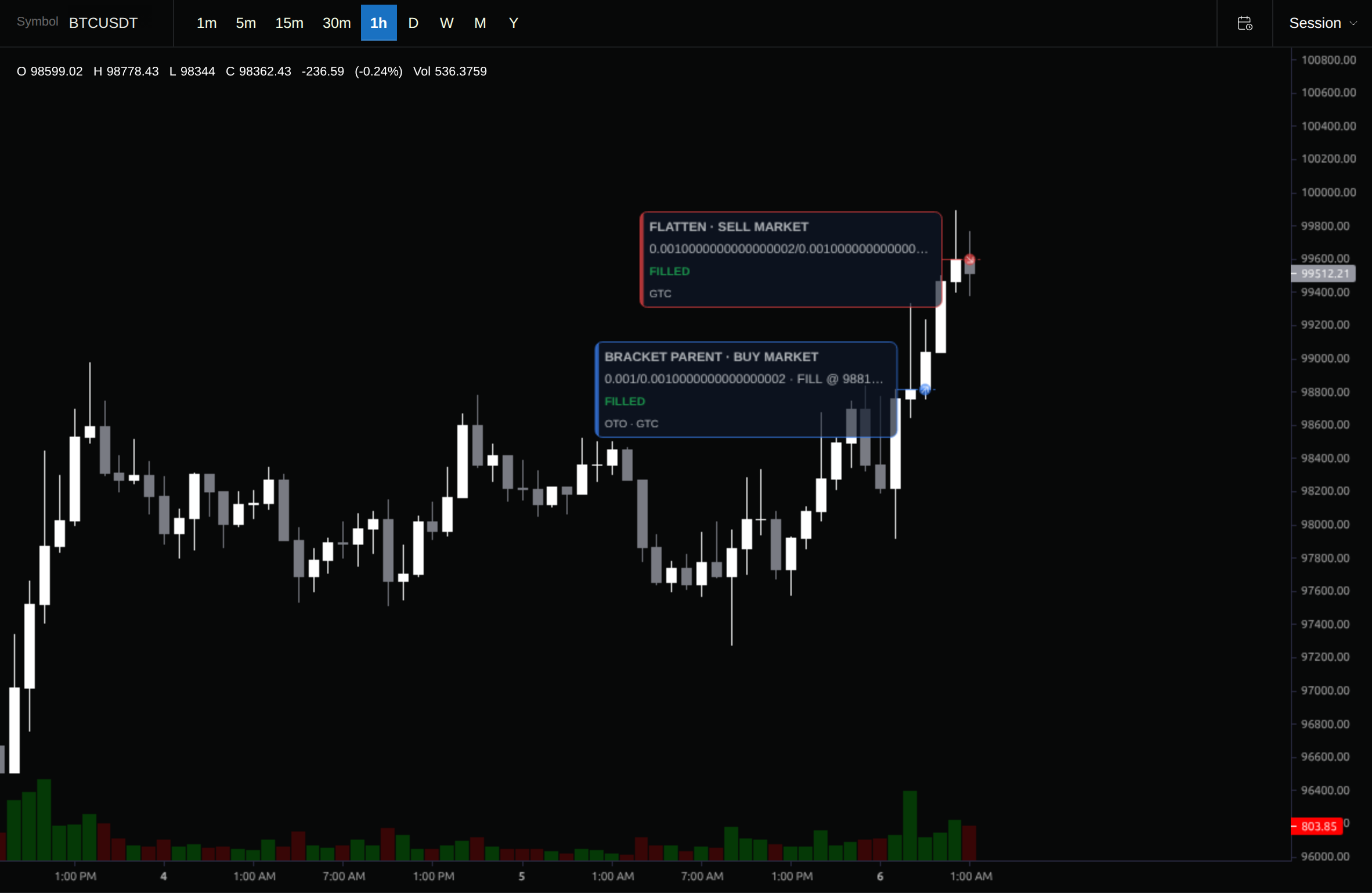
Run the fixed test after the rules and execution assumptions agree. Then inspect the first completed trade in chronological order, rather than choosing the best winner.
Locate the signal bar and its previous daily bar. Confirm the two RSI values, the trend filter, and the flat-position guard. Find the order and fill timestamps, actual quantity, and price. Check that the stop references that fill and that the exit followed the intended condition and timing. Include costs when reconciling the trade’s net result.
If there are no trades, inspect candidate bars and rule logs to distinguish “no qualifying setup” from missing warmup, unavailable data, or an incorrect condition. Zero trades does not prove the translation is correct. One correct trade does not validate every edge case or establish profitability either; it is a concrete first check of whether the rules express your idea.
The edited version completed the requested January 2–June 28, 2024 window with zero completed trades after processing 124 daily bars. The product therefore displays its no-trades state rather than a performance report or a trade to audit. A separate August 1–September 30, 2024 check of the same edited rules also completed with zero trades; it does not change the original result.
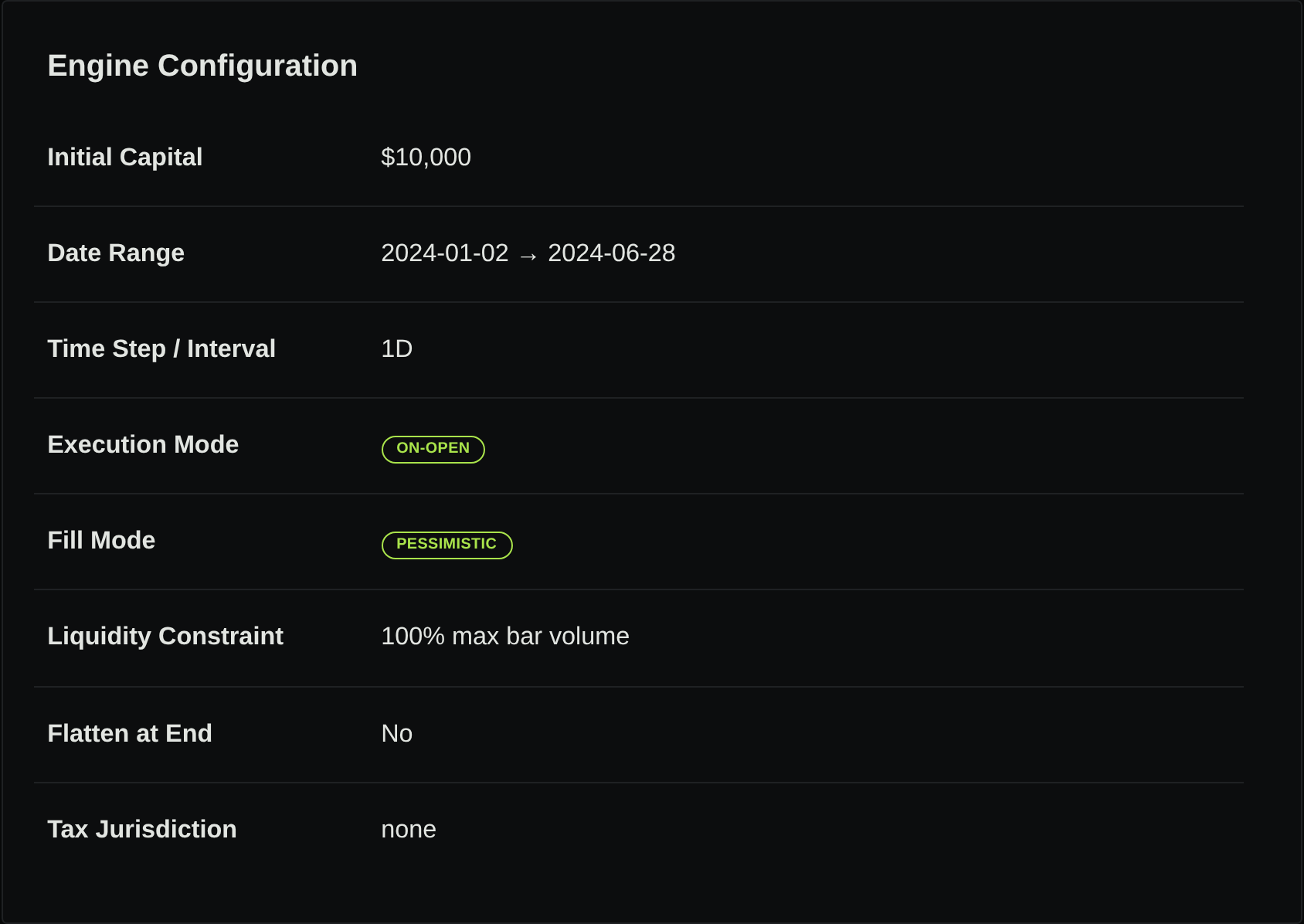
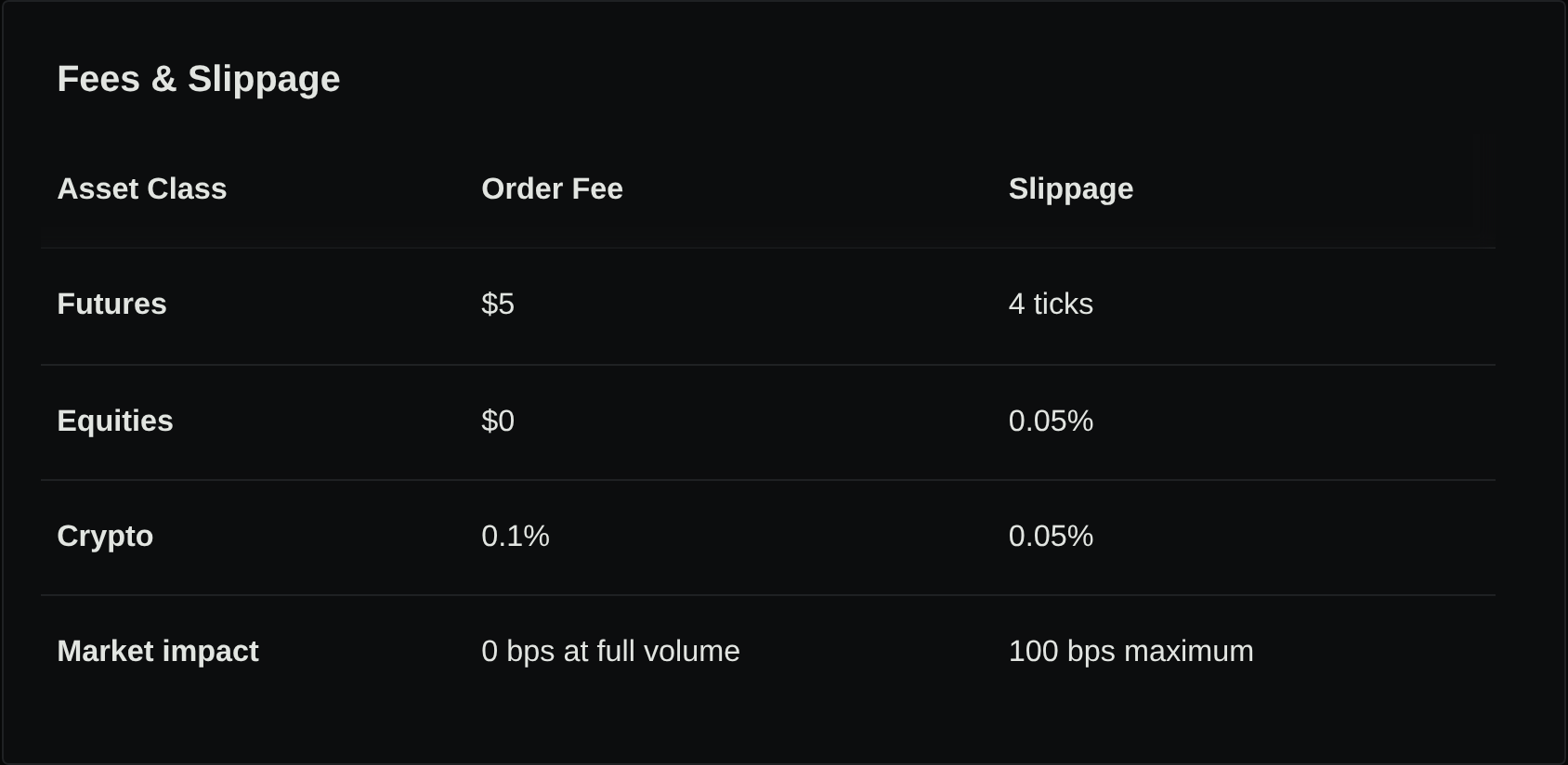
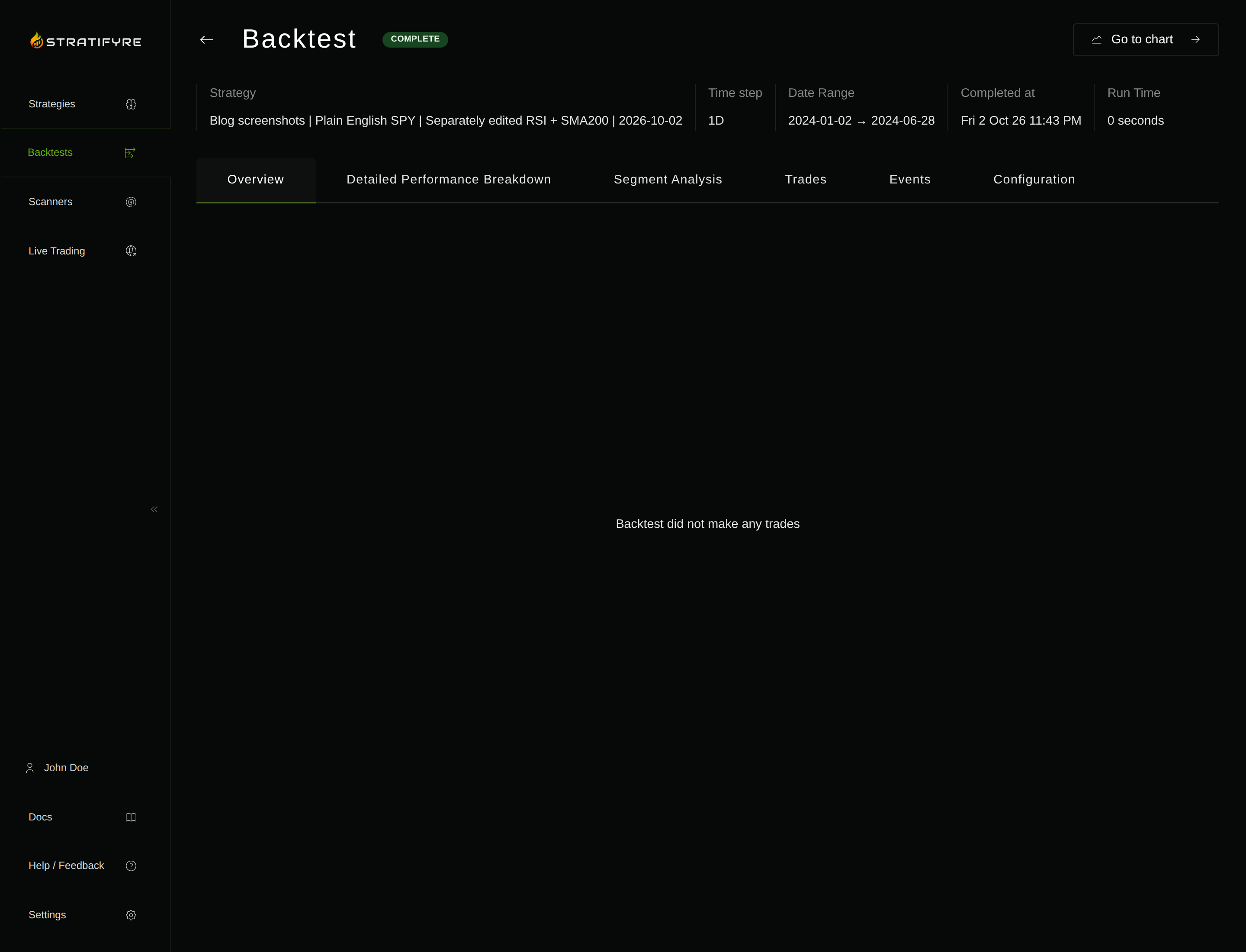
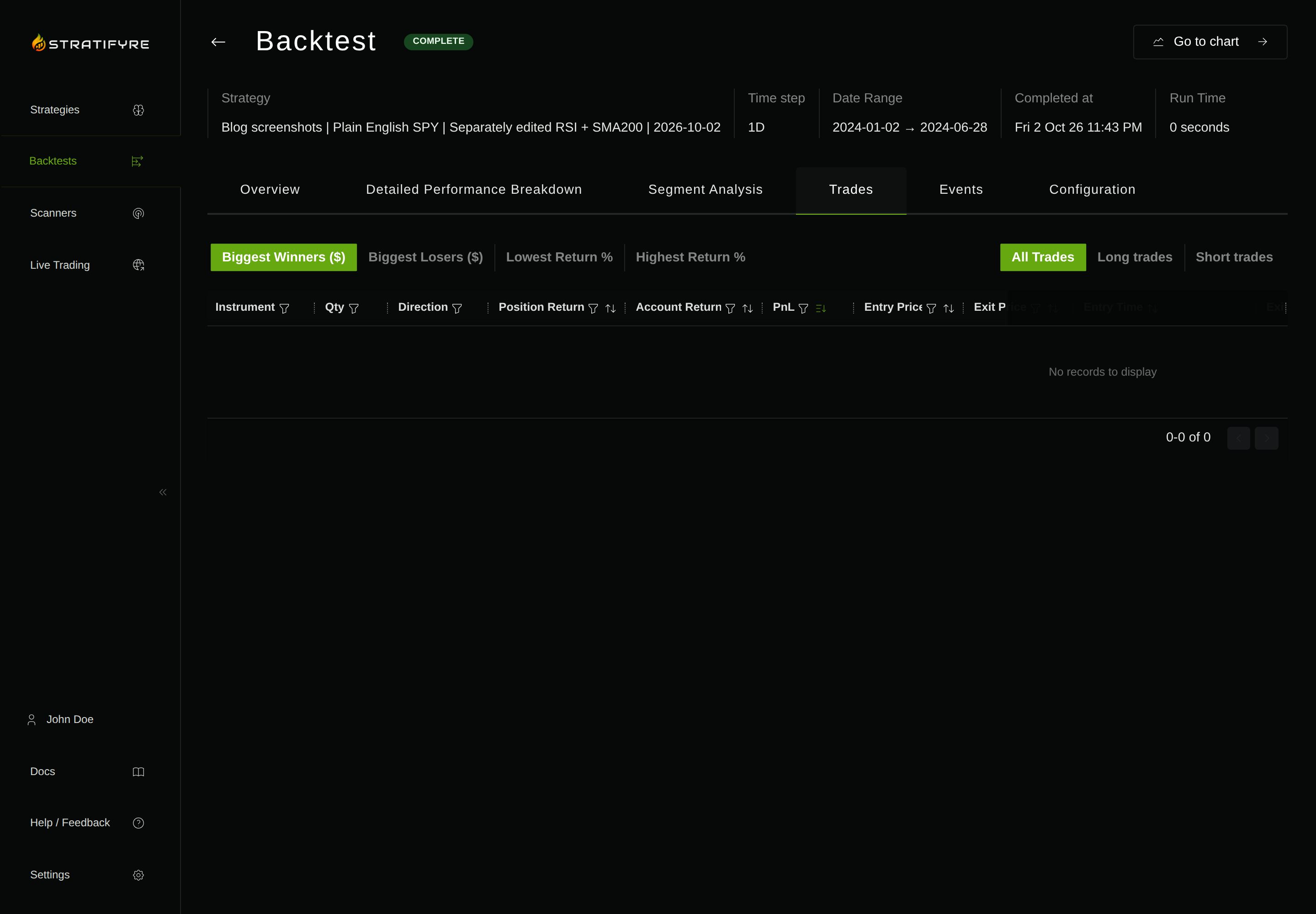
Indicator warmup of at least 250 preceding bars, RSI initialization, exact exchange-calendar and adjustment treatment, and competing-exit behavior remain unreconciled. The zero-trade outcome does not establish that every potential setup was evaluated with initialized indicators, and it supplies no fill with which to verify the first-fill stop or next-session timing.
Write your own specification, use the AI Strategy Builder guide to convert it, and check one resulting trade against the rules you wrote.
Put your strategy rules to the test
Build your strategy, inspect historical trades, and review the assumptions behind your results.
Build and test your strategy